CONTROL TYPES (Resident Evil 5)

Image of CONTROL TYPES
Category File (In-game file)

Related product

Resident Evil Village Replica Iron Insignia Key

Buy the Resident Evil Village Replica Iron Insignia Key on Amazon

Transcript

The following four control types can be selected under CONTROLLER SETTINGS in the OPTIONS menu.

[Type A]
Use the L Stick to move and rotate. Use the RT+X to fire.

[Type B]
Use the L Stick to move and rotate. Use the LT+RT to fire.

[Type C]
Use the L Stick to strafe and the R Stick to rotate. Use the RT+X to fire.

[Type D]
Use the L Stick to strafe and the R Stick to rotate. Use the LT+RT to fire.

Location

Chapter 1-1

  • Image of Butcher's Shop - Back Alley East

    Butcher's Shop - Back Alley East

    Amateur
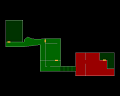
    On the meat preparation counter in the north west corner of the main eastern room.

    View location | Show on map
  • Image of Butcher's Shop - Back Alley East

    Butcher's Shop - Back Alley East

    Normal
    On the meat preparation counter in the north west corner of the main eastern room.
    View location | Show on map
  • Image of Butcher's Shop - Back Alley East

    Butcher's Shop - Back Alley East

    Veteran
    On the meat preparation counter in the north west corner of the main eastern room.
    View location | Show on map
  • Image of Butcher's Shop - Back Alley East

    Butcher's Shop - Back Alley East

    Professional
    On the meat preparation counter in the north west corner of the main eastern room.
    View location | Show on map

There are no locations to show for this game mode. The following game modes are applicable:

Related product

Welcome to Raccoon City Sign

Buy the Welcome to Raccoon City Sign on Amazon

Explore further